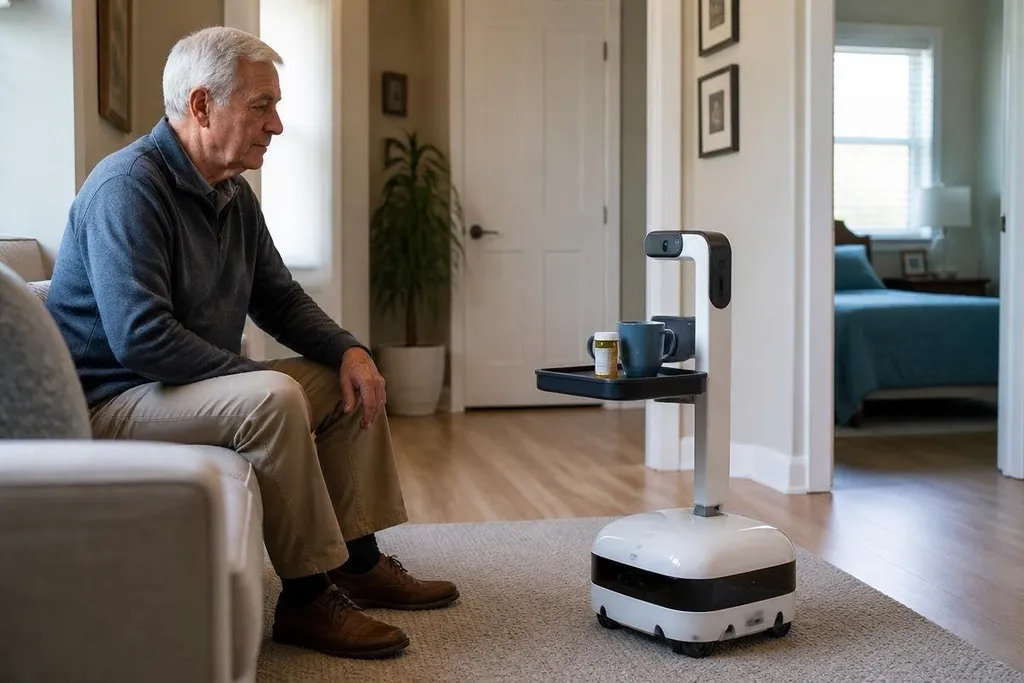
A home robot may remind someone to take medicine, carry items between rooms, or call for help after a fall. Those tasks sound modest, but each one affects safety, privacy, and how much control a person keeps at home.
- Useful systems handle repeat tasks, not every task.
- Human help remains part of the plan.
- Safety checks matter more than a long feature list.
Where robots can help
Independent living covers many needs, so one robot rarely fits the whole job. A mobile robot may carry a tray from the kitchen, bring a phone, or move through rooms with LiDAR, a sensor that measures distance with light.
That movement still depends on the home. Narrow doorways, loose rugs, pets, stairs, and poor lighting can change what the robot can do. A system that works on a flat test floor may need a different setup in an older home with thresholds between rooms.
Robotic arms can help with selected tasks near a table or work surface. Their value depends on the gripper, the weight of the item, and the person’s ability to give commands. Picking up a light cup is a different job from opening a sealed food package.
Medication systems follow another path. A dispenser can release a planned dose and send an alert when a dose remains in the tray. That does not remove the need for a clinician or family member to check changes in a person’s health.
Independence needs control
A robot supports independent living when the person can understand what it will do and stop it when needed. Voice control may help someone with limited hand movement, but the home still needs a physical button or another clear way to halt the system.
Teleoperation can fill gaps. In teleoperation, a person controls the robot from another location. That may help with a task the robot cannot complete on its own, but it also means the service needs a trained operator, a working network connection, and clear rules for access.
The person at home should decide who can see camera feeds, open a door, or speak through the robot.
Cameras and microphones can collect private details without recording a person’s health data in the same way a medical device does. Buyers need to ask where data goes, who can view it, and how long the maker keeps it.
Those privacy questions also shape how you judge claims about home robots. Home robotics coverage from Robot24.com can tie a claim to a named system or trial record before the discussion turns to what the robot can and can’t handle at home.
The limits are part of the design
A robot can repeat a task with the same programmed steps, but homes rarely stay fixed. A chair moves. A visitor leaves a bag in a hallway. A dropped towel becomes an obstacle. The system needs a safe response when its sensors cannot identify the path.
A fall-detection system also needs careful handling. A camera may spot a person on the floor, but it can mistake sitting, reaching, or sleeping for a fall. A wearable sensor may reduce that problem, yet the person must remember to wear and charge it.
Costs matter too. The purchase price may cover the robot but exclude installation, software fees, remote help, battery replacement, or changes to the home. A cheaper device that handles one daily task can make more sense than a larger system that needs frequent supervision.
Safety standards can help frame the questions. ISO 13482 covers safety requirements for personal care robots, but a standard does not prove that a specific robot fits a specific home. Ask for the product’s test conditions and compare them with the rooms, surfaces, and tasks that matter.
A practical buying checklist
Before choosing a robot for independent living, check these points:
- Name the task: write down the exact job, such as carrying a meal from the kitchen to the table.
- Test the route: measure door widths, floor thresholds, turning space, and any stairs.
- Set the stop method: place an emergency stop or manual control where the person can reach it.
- Check human backup: confirm who takes over when the robot cannot finish the task.
- Review the data rules: ask about cameras, microphones, storage, remote access, and deletion.
- Price the full setup: include installation, service, charging, repairs, and any monthly fee.
I'd start with one task that happens every day and has a clear success condition. That makes it easier to see if the robot helps, adds work, or needs a person nearby each time.
The useful next step is a small home trial with one route, one task, and one named backup person. If the system cannot show safe behavior there, a longer feature list will not fix the gap.